Qbook
Category
UI/UX Design
/

The Problem
Cafes and restaurants often struggle to handle walk-in customers when the outlet is full. Customers end up waiting with no clear sense of when their turn will come, while staff (GRO) are stuck manually tracking the waiting list and checking one by one who should be called next.
Objective
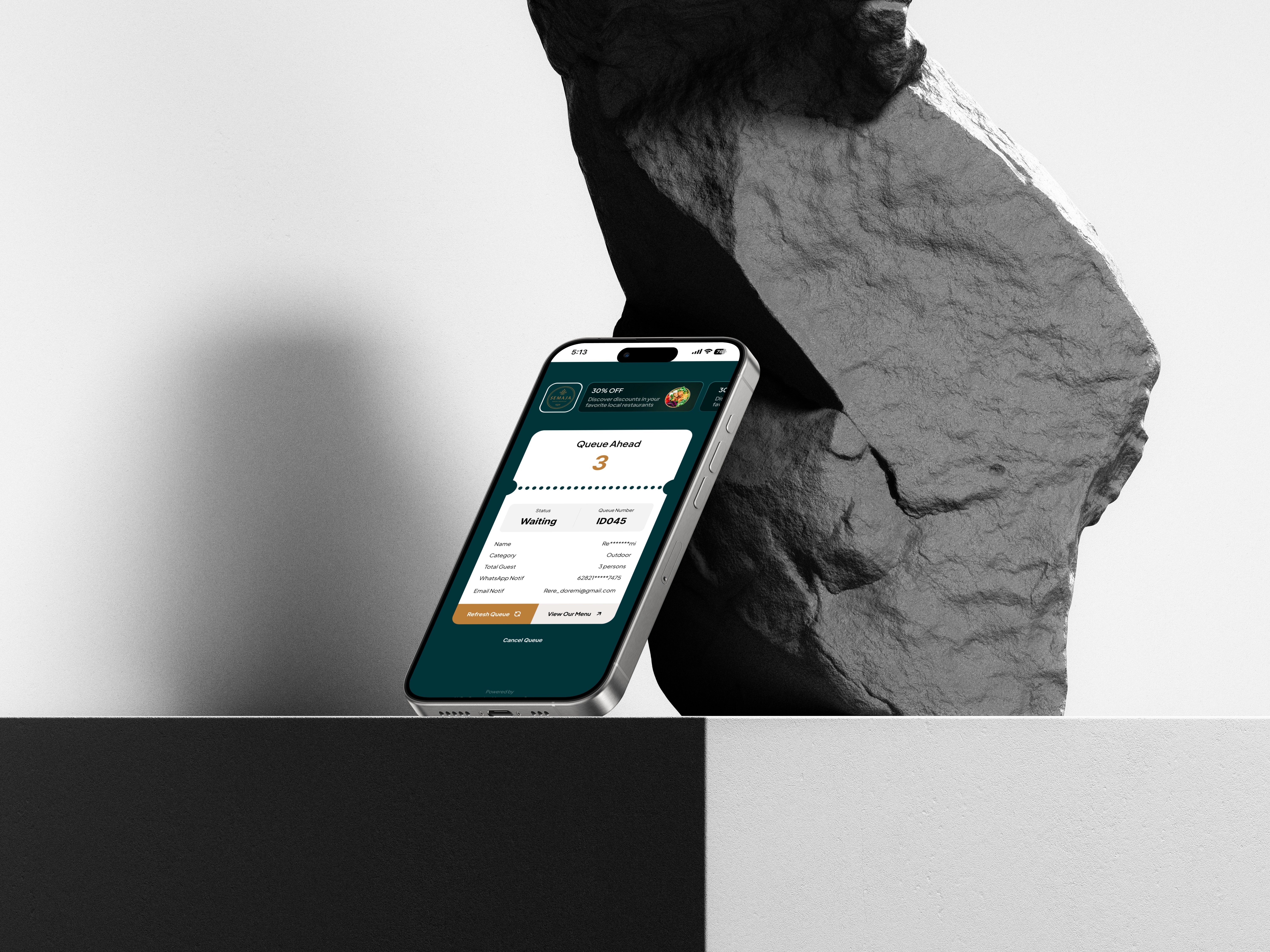
I designed the staff-facing side of QBook — a system for logging the waiting list, managing queue status, and calling customers once a spot opens up, all directly connected to what customers see on their end.

Process
Started by mapping out the GRO's actual workflow: logging the waiting list when the outlet is full, saving the entry into the system, then generating or reprinting a queue QR for the customer.
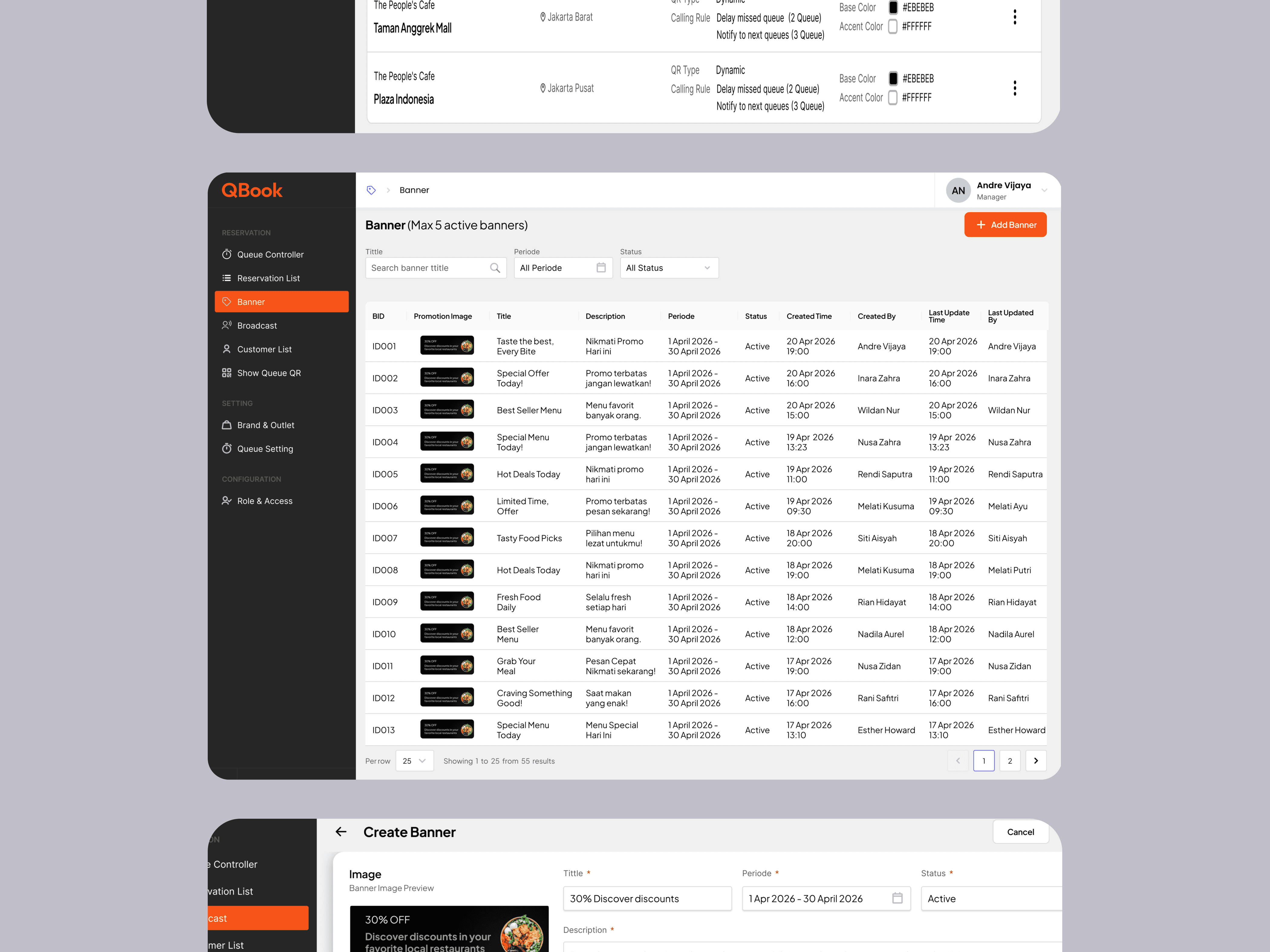
Designed a CMS interface that lets GRO update queue status and call customers directly from one screen, without manually cross-checking who's next.
Made sure every status change on the GRO side syncs in real-time to the page customers see, so there's no lag or mismatch between what staff and customers know.

The Impact
Before QBook, managing walk-in customers meant handling everything manually — staff had no centralized way to track who was waiting, who was already seated, who cancelled, or who was tentatively holding a spot. Every status change required back-and-forth coordination that slowed things down, especially during peak hours. With the CMS in place, GRO can now manage the full spectrum of customer statuses — waiting, seated, cancelled, tentative, and more — all from one screen. The moment a status is updated, it reflects on the customer-facing side automatically, removing the need for customers to repeatedly check in with staff about where they stand. What made this particularly meaningful to design was the real operational pressure behind it: staff needed to make status decisions quickly and confidently, without second-guessing the interface — so every element on the screen had to earn its place.